This chapter introduces Flux as a powerful, open image generation model and walks through how to use it effectively in ComfyUI. It contrasts Flux’s workflow with familiar Stable Diffusion pipelines, highlighting its modular model loading, new guidance mechanism, and a more nuanced sampling stack. The focus is practical: get set up, understand what’s different, and learn the few levers that most strongly shape output quality, style adherence, and realism.
Setup centers on loading separate components rather than a single checkpoint: two CLIP encoders (for stronger prompt understanding), a VAE, and the Flux.1-dev UNet. Because Flux is memory-intensive, the chapter recommends an fp8 quantized UNet variant to substantially cut VRAM usage with only minor quality trade-offs, making high-end consumer GPUs and unified-memory Macs more viable. It also explains the DualCLIPLoader’s role in prompt adherence, notes when custom VAEs matter, and underscores that you can run the workflow without mastering every node—once the files are in place, you can prompt and go.
Flux’s “Guidance” replaces traditional CFG behavior and has a larger, more direct impact: lowering it can both improve style fidelity (e.g., manuscript-like outputs) and reduce the “plasticy” look in photorealistic renders. Sampling is more involved: RandomNoise adds seed control modes (fixed, increment, decrement, randomize); ModelSamplingFlux introduces max_shift (highly impactful on color separation and overall look) and base_shift (subtle and sometimes no-op at certain resolutions); and BasicScheduler exposes denoise, which changes results dramatically within a narrow range and should be adjusted in small steps. The chapter closes by noting batch-size constraints, resolution inputs, and the overarching theme: experiment with Guidance, max_shift, and denoise to steer Flux, while using quantization to fit your hardware.
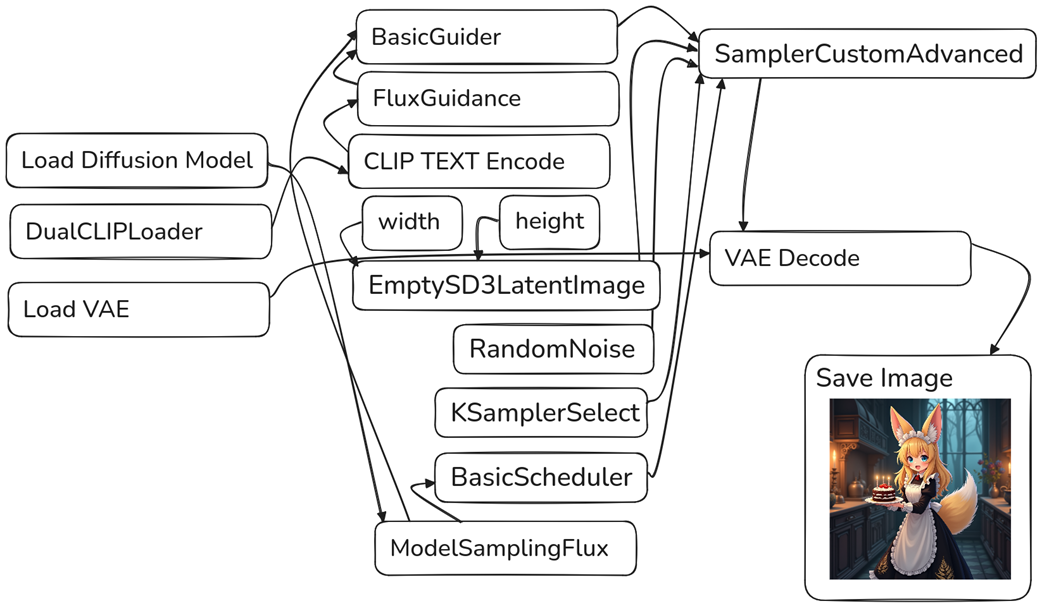
Drag this image to ComfyUI to get the Flux workflow.
The Flux workflow is notably different than SD1.5 and SDXL
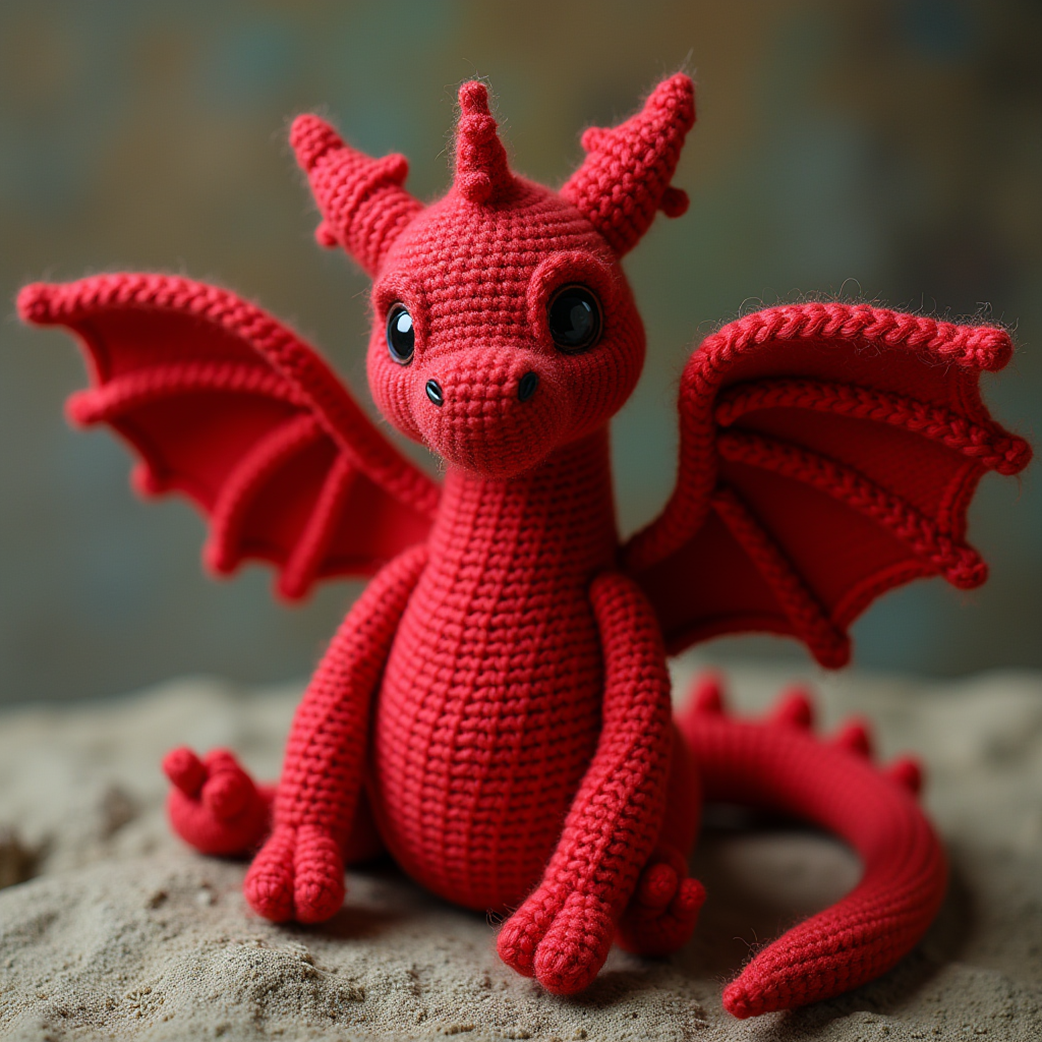
Our adorable first image from Flux
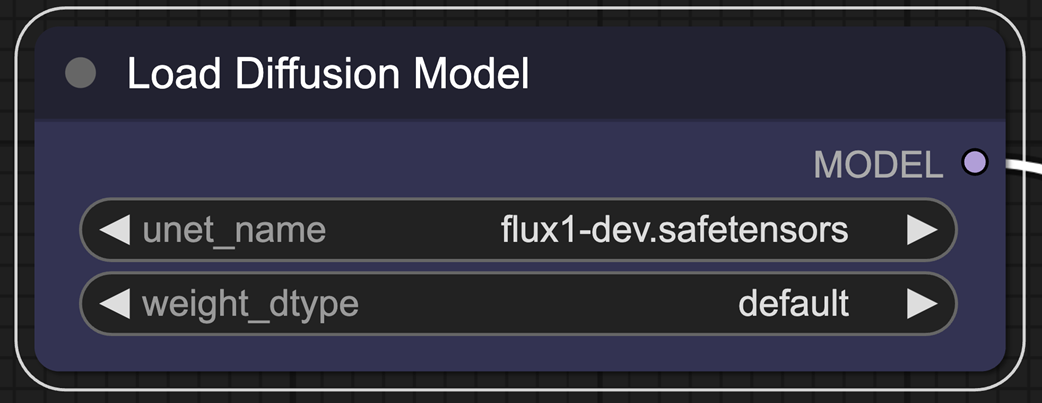
The Load Diffusion Model node allows you to select the U-NET.
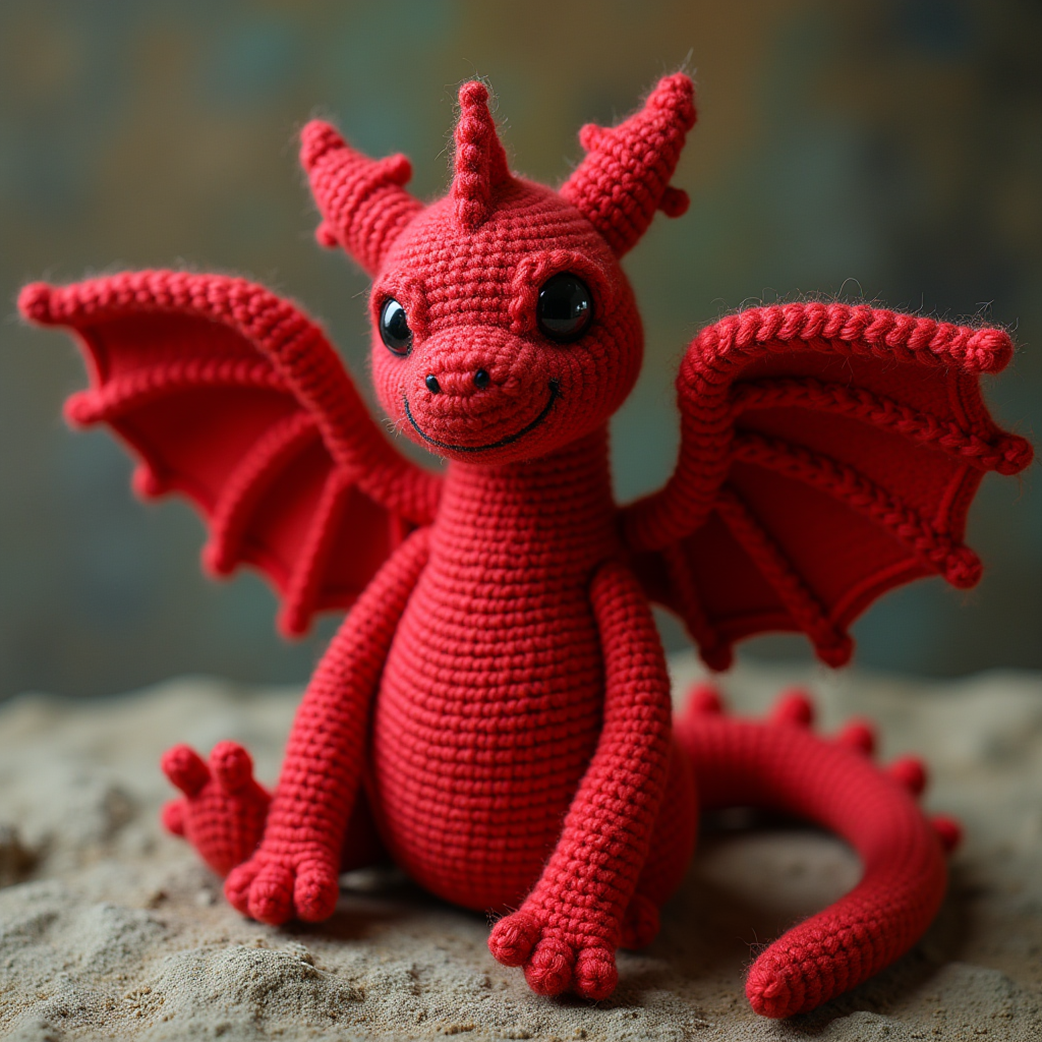
Using the fp8 model only minorly impacts the quality of our output.
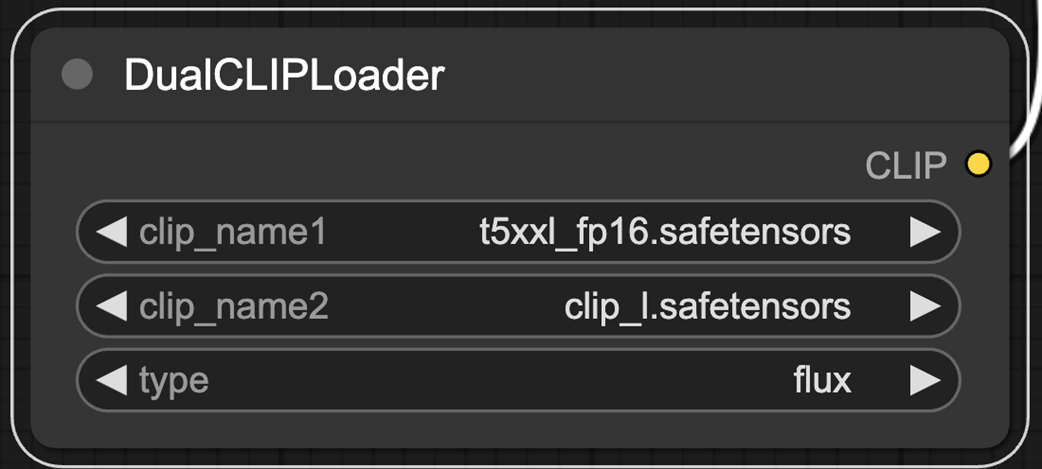
The DualCLIPLoader allows us to use two CLIP encoders.
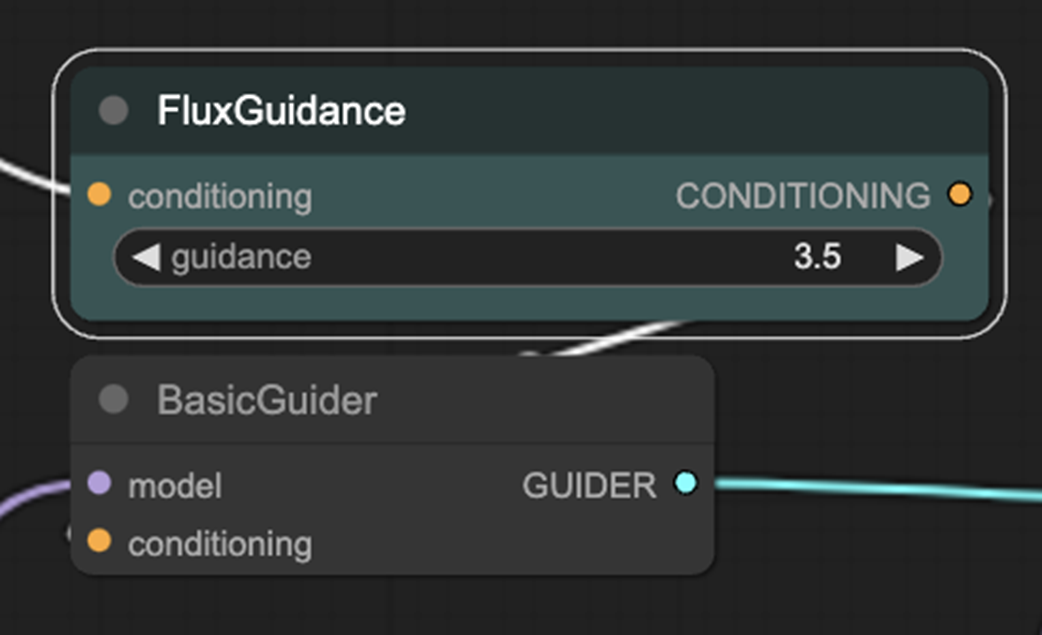
FluxGuidance and BasicGuider nodes.
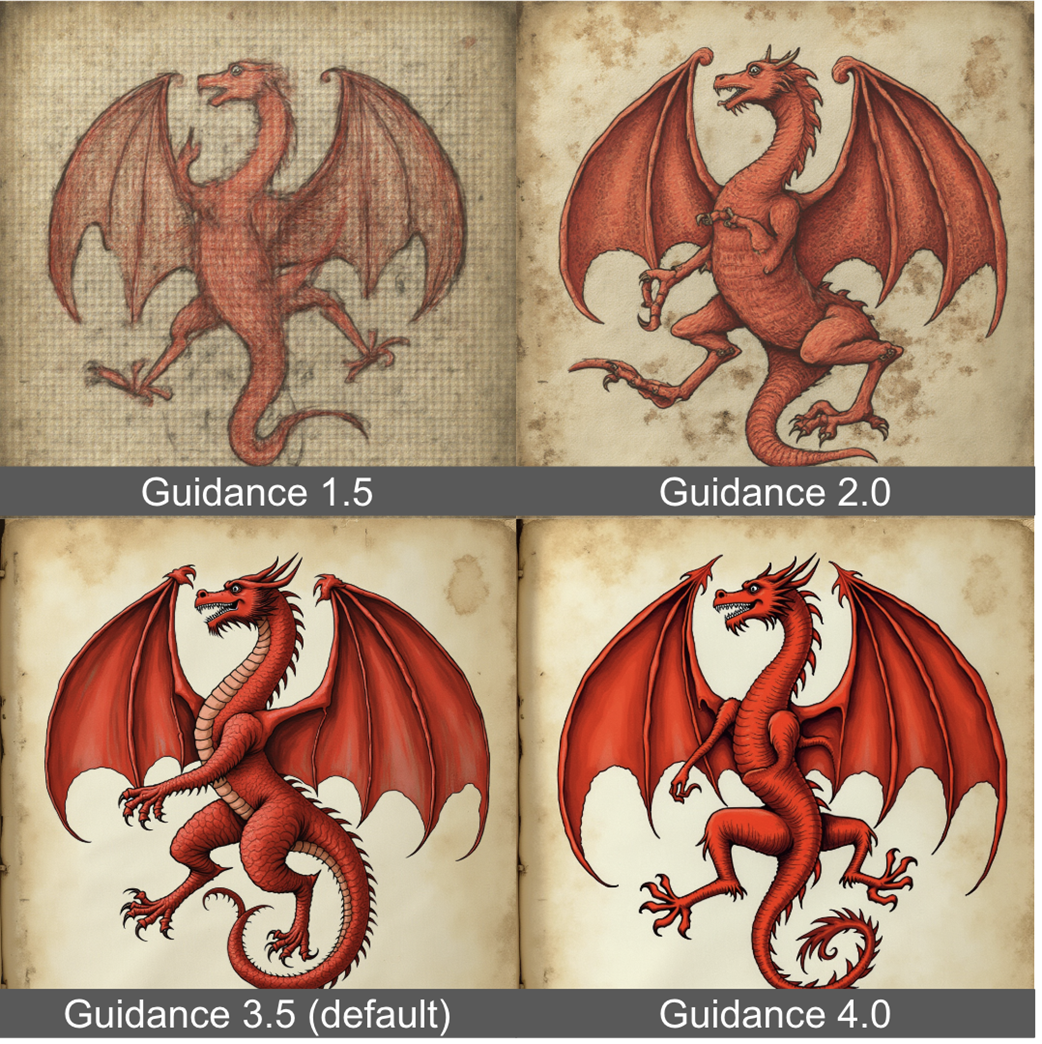
The Guidance parameter in Flux can help the model adhere to style better.
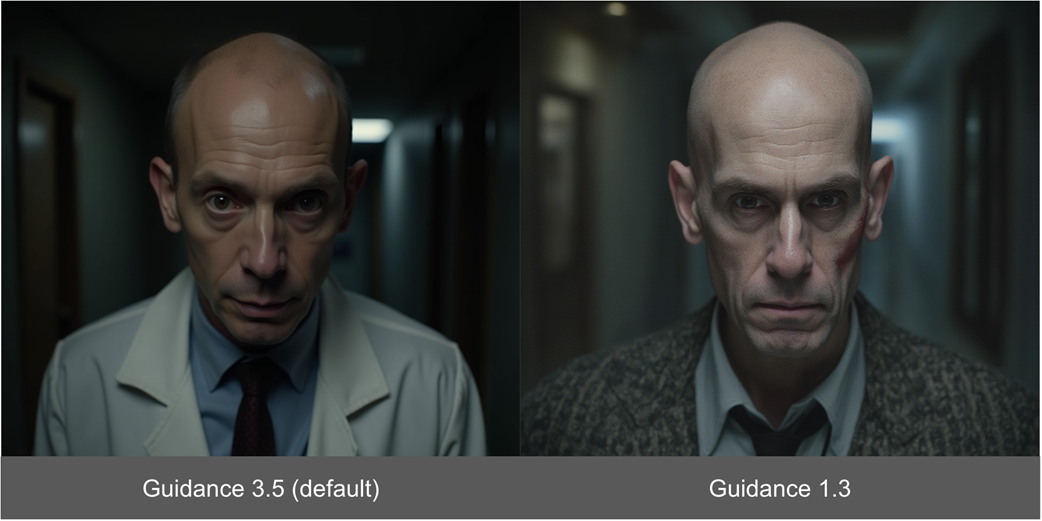
Lower Guidance also helps to make images look less “plasticy”.
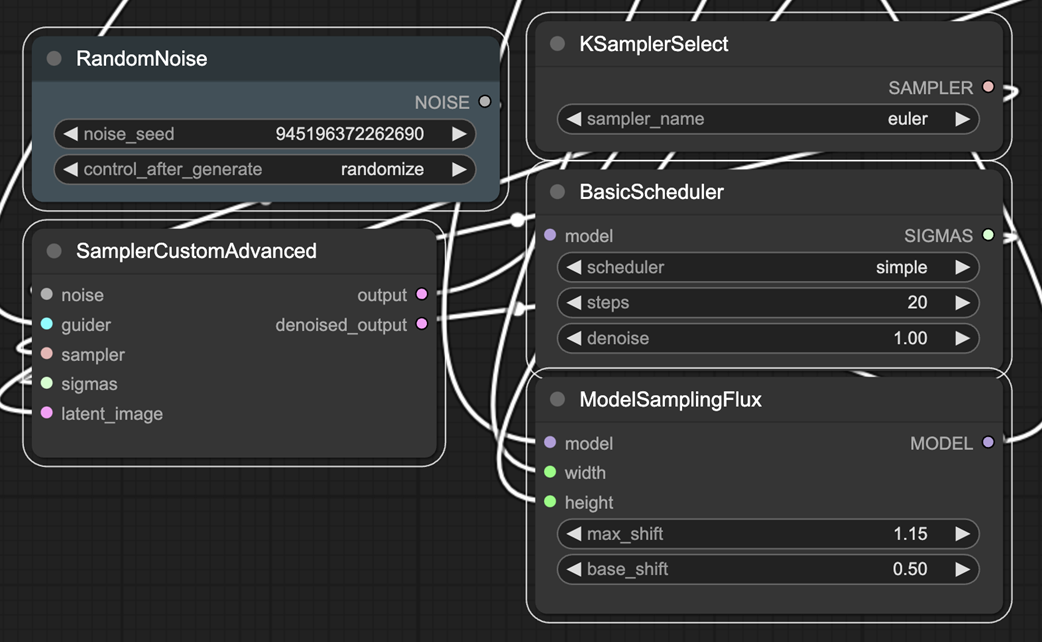
Sampling is notably more complex when working with Flux.
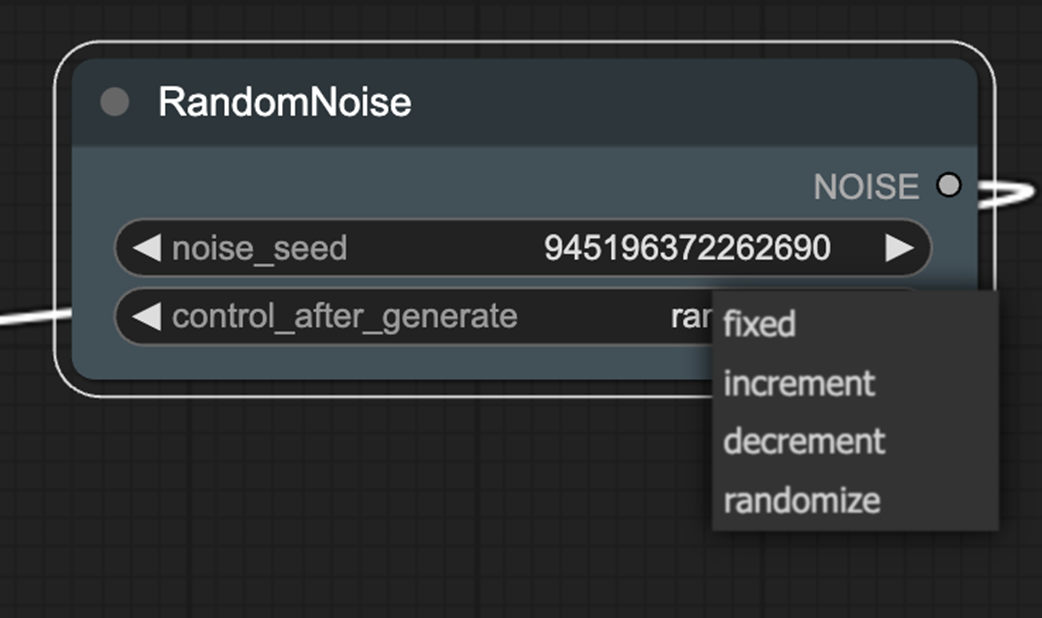
RandomNoize adds a control_after_generation option.
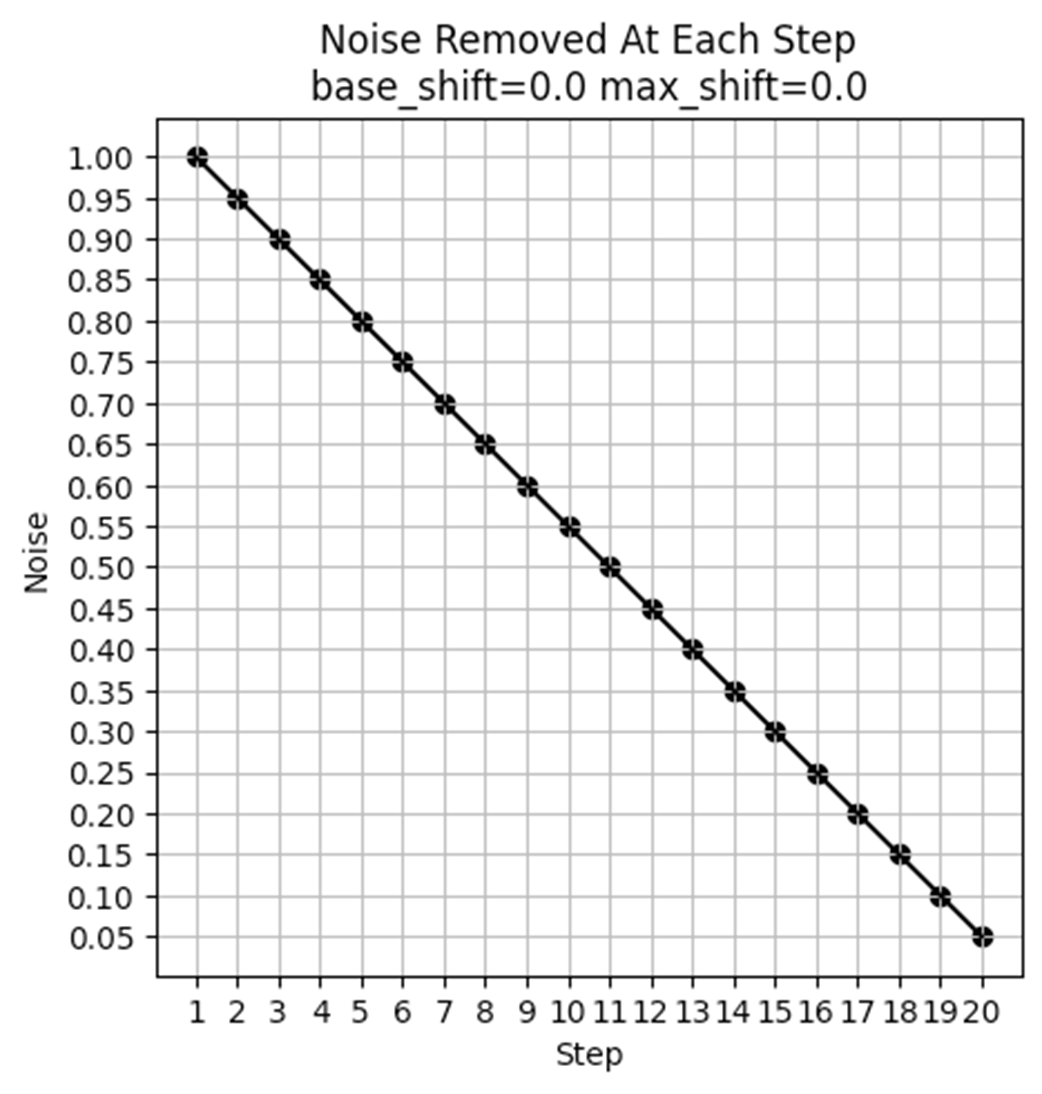
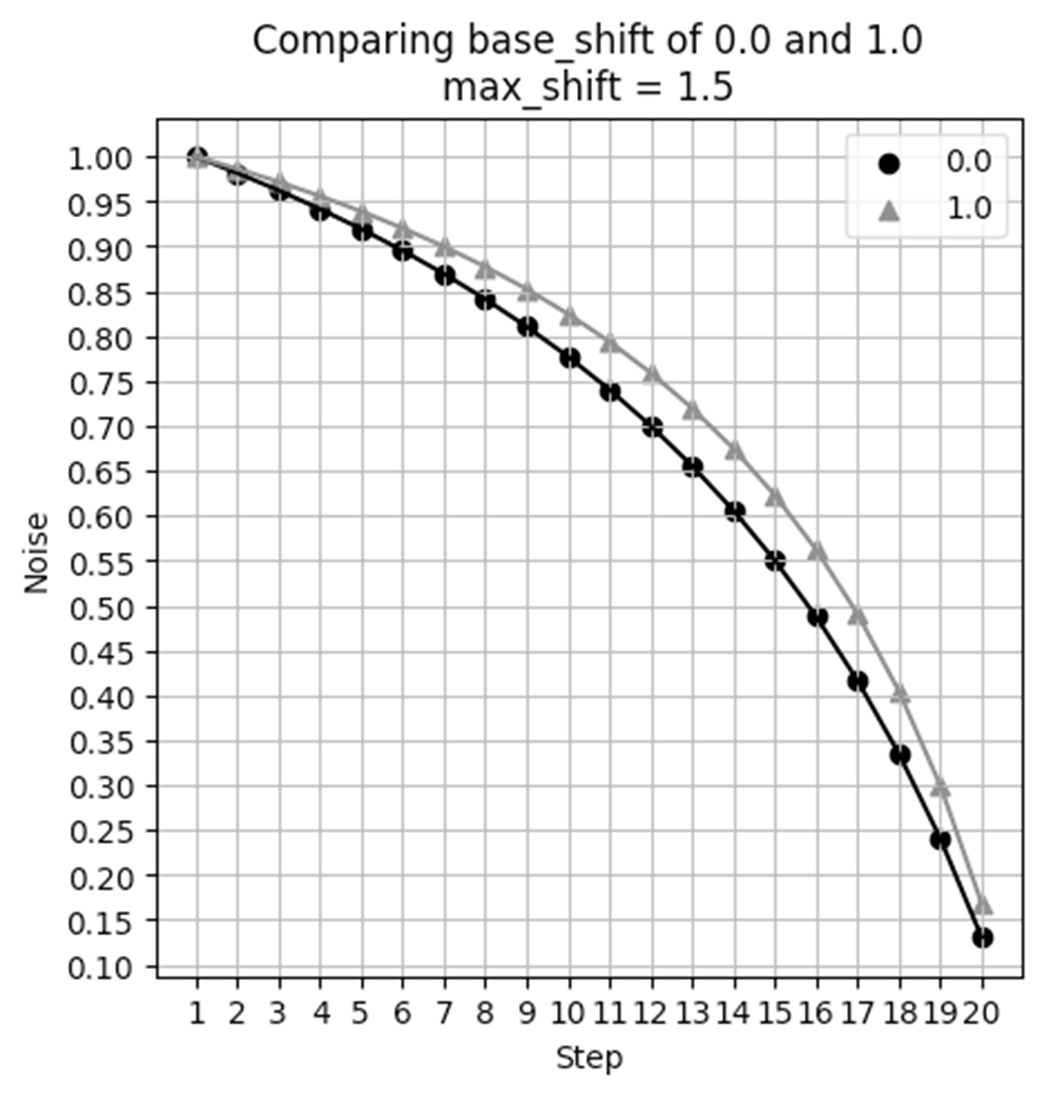
Noise Schedule when max_shift and base_shift both are 0.0.
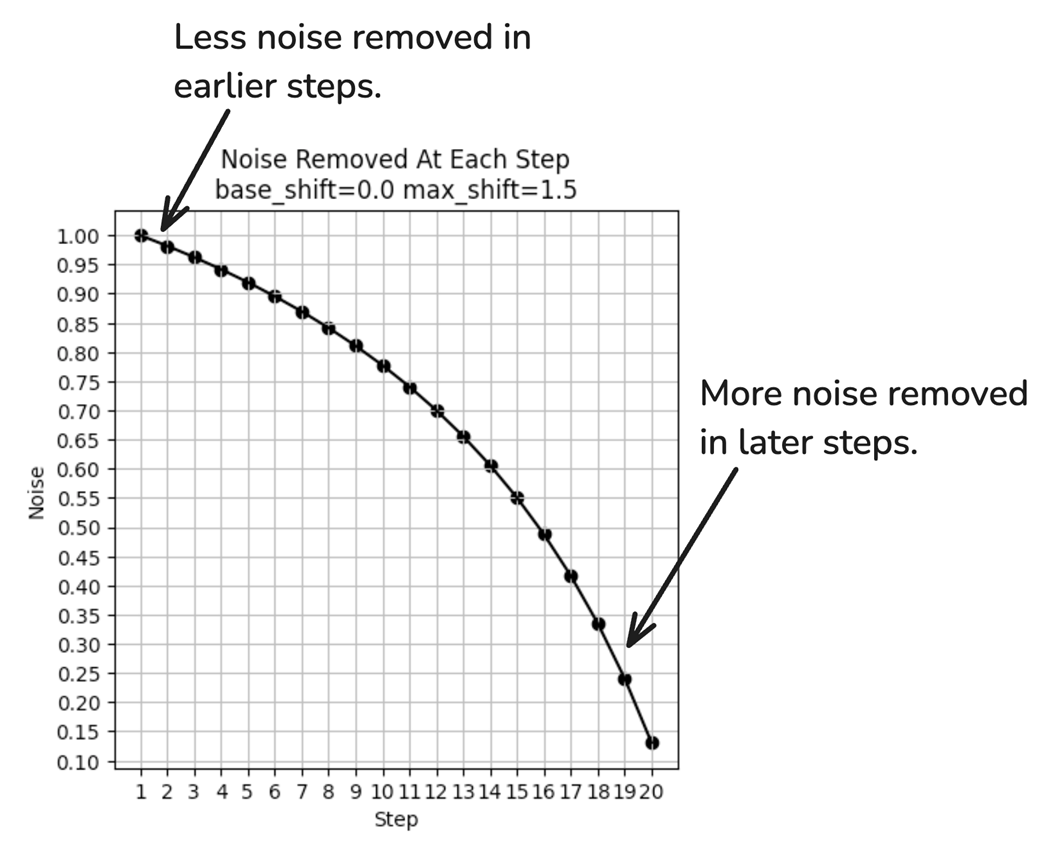
With max_shift of 1.5, the noise removal is no longer uniform.
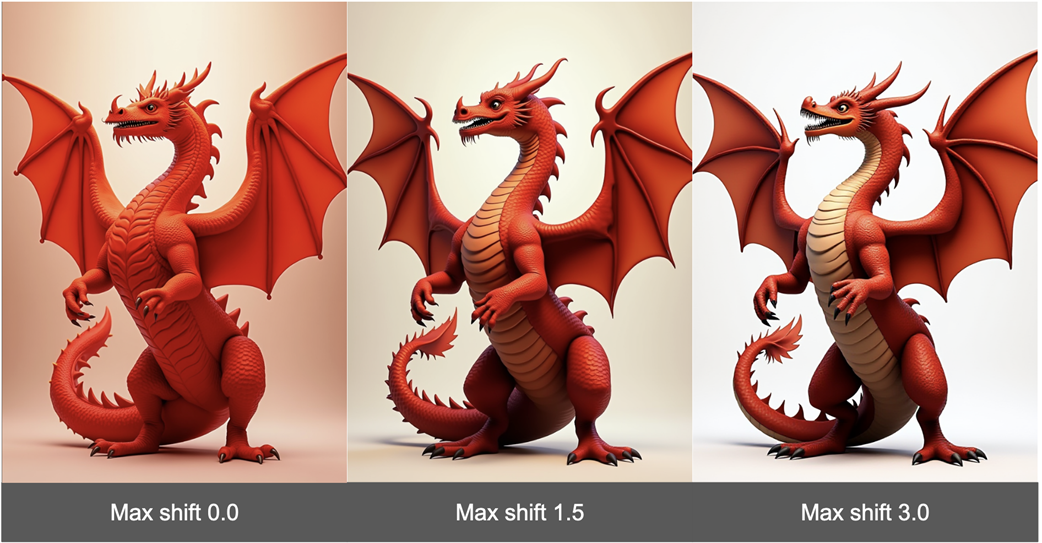
Max shift can have a notable impact on the resulting image generated.
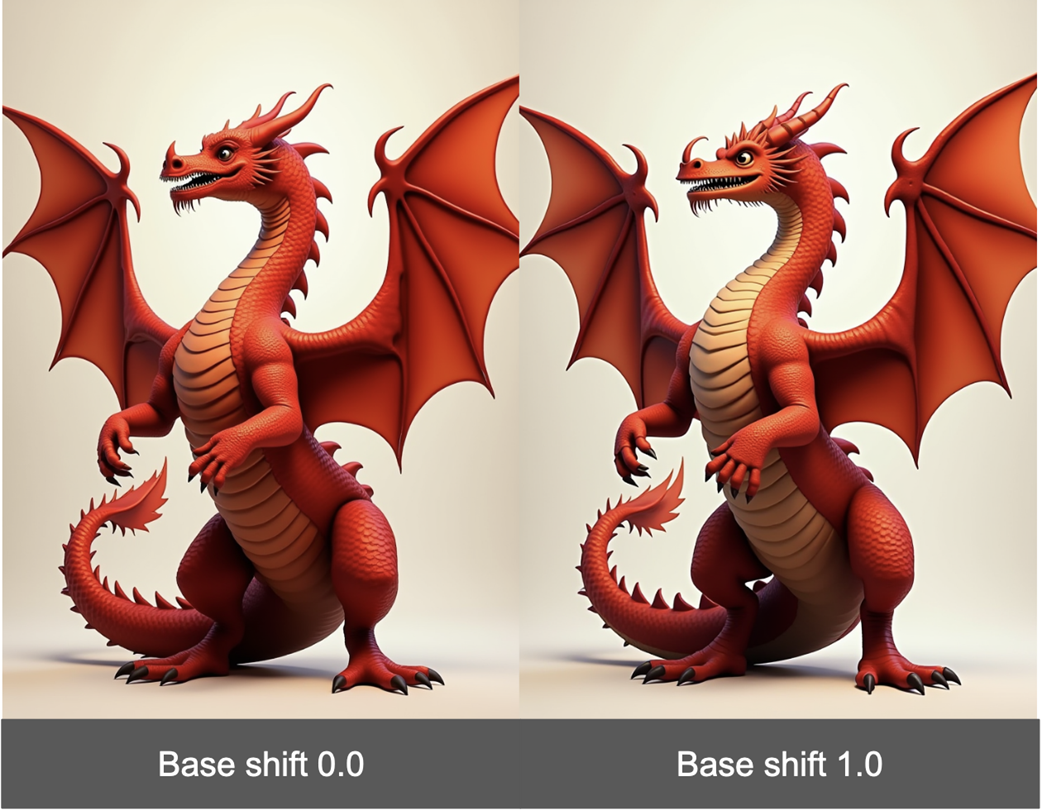
Base shift slightly modifies the denoising curve.
While there is a difference in images, it is more subtle.
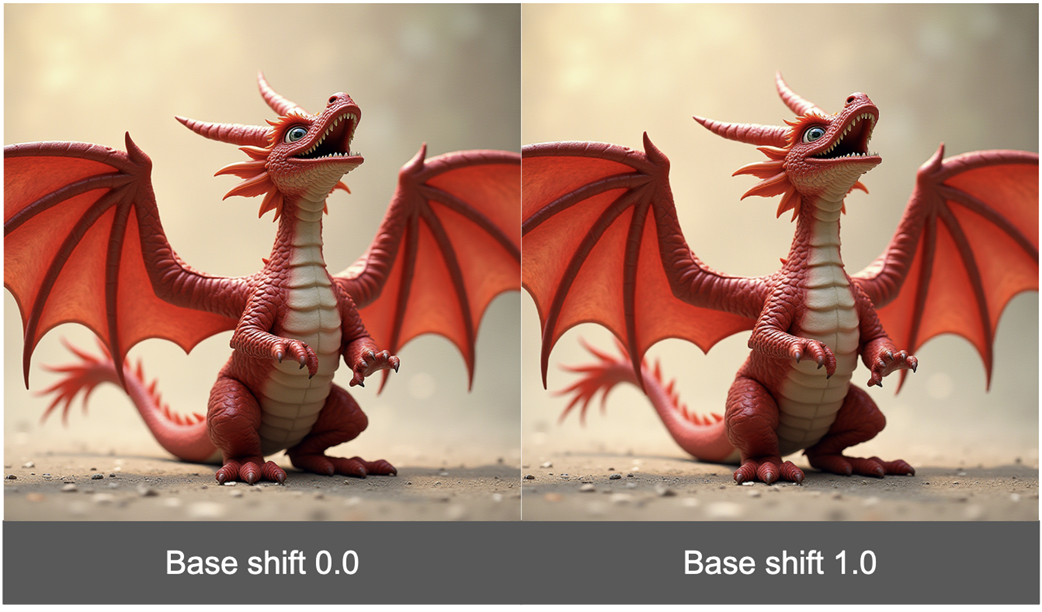
Under some aspect ratios, base_shift has no impact at all!
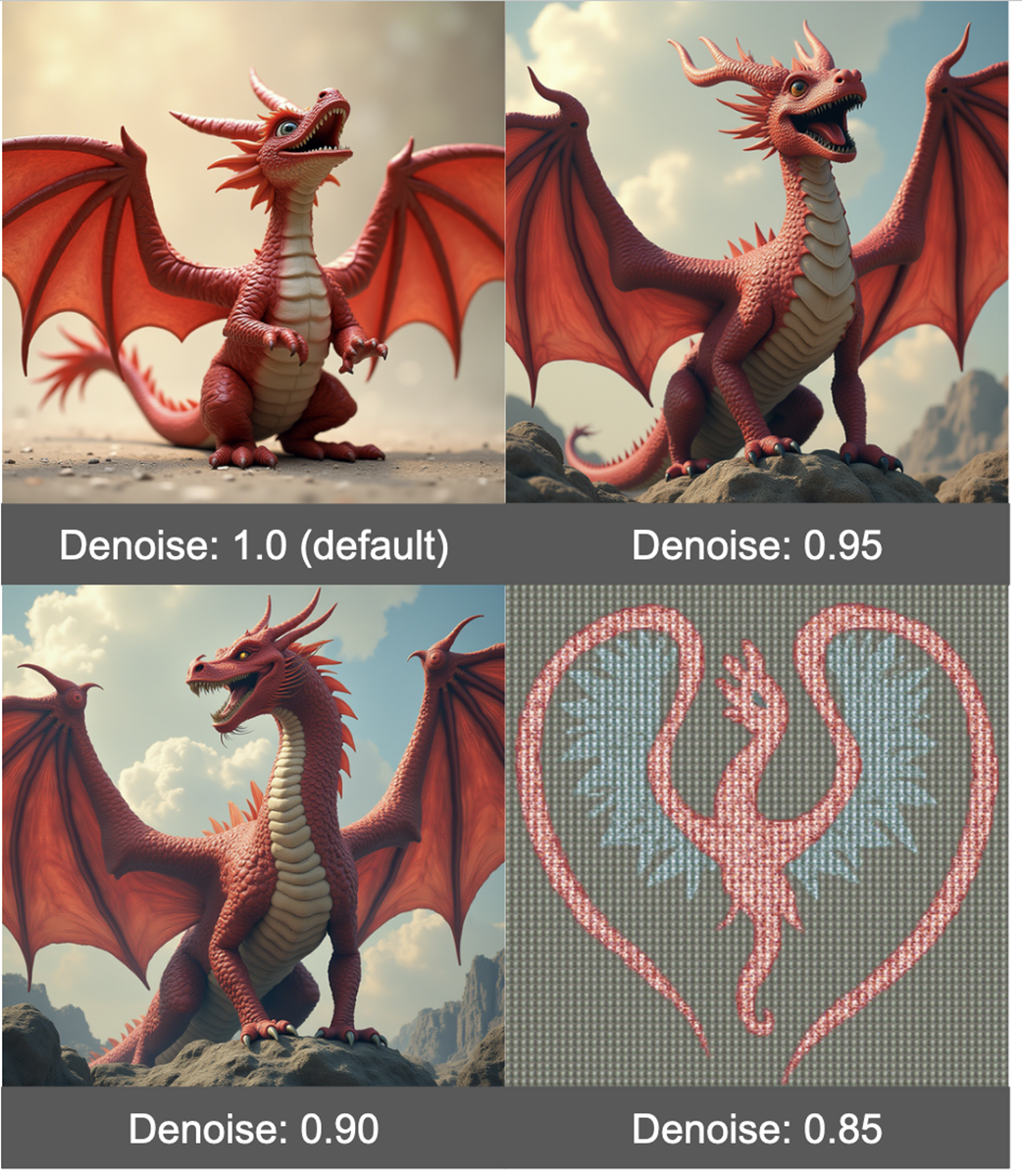
Denoise should be changed in very small increments
Summary
The Flux workflow has quite a few differences from the standard Stable Diffusion workflow.
When working with models requiring high memory, it is helpful to look for quantized versions of these models.
Part of the reason Flux is so good at prompt adherence is because it uses two CLIP encoders.
Guidance in Flux is similar to CFG in SD1.5 and SDXL, but doesn’t allow for a negative prompt.
Reducing Guidance can help the model pay more attention to the style recommended in the prompt.
Flux allows for much more nuanced control over scheduling.
Max shift can have a pretty major impact on your final result, but base shift is less impactful and in many cases will have no impact at all.
Reducing the Denoise value can make the image look nicer, but should only be done in very small steps as it can quickly degrade the image.
FAQ
How do I load the Flux workflow into ComfyUI?Go to the ComfyUI Flux examples page (https://comfyanonymous.github.io/ComfyUI_examples/flux/) and drag the example image into the ComfyUI canvas. The workflow is embedded in the image metadata. After dropping it, set your prompt and click “Queue prompt.” Be sure you’ve downloaded and placed the required model files first (see next FAQ).Which files do I need for Flux, and where do I put them?You need four files:
- CLIP text encoders (place in ComfyUI/models/clip): clip_l.safetensors and t5xxl_fp16.safetensors from https://huggingface.co/comfyanonymous/flux_text_encoders/tree/main
- VAE (place in ComfyUI/models/vae): ae.safetensors from https://huggingface.co/black-forest-labs/FLUX.1-schnell/blob/main/ae.safetensors
- Flux model (place in ComfyUI/models/unet): flux-1dev.safetensors from https://huggingface.co/black-forest-labs/FLUX.1-dev/tree/mainMy GPU runs out of VRAM with Flux.1-dev. How can I make it work?Use the quantized fp8 UNet to cut VRAM roughly in half: download flux1-dev-fp8.safetensors from https://huggingface.co/Comfy-Org/flux1-dev/blob/main/flux1-dev-fp8.safetensors and put it in ComfyUI/models/unet. In the Load Diffusion Model node, set unet_name to flux1-dev-fp8.safetensors. Expect only minor quality differences. Also keep batch_size at 1. On Apple Silicon, unified memory may let you run the full model.Why doesn’t Flux use a single checkpoint like SD1.5/SDXL?Flux splits components: you load the UNet (Load Diffusion Model), the VAE (Load VAE), and two text encoders via DualCLIPLoader. Unlike SD1.5/SDXL “checkpoint” files, Flux requires these parts separately, and the UNet goes in models/unet (not models/checkpoints).What does the DualCLIPLoader do, and why are there two text encoders?Flux uses two encoders (clip_l.safetensors and t5xxl_fp16.safetensors) to improve prompt adherence—each can capture different aspects of your text. The DualCLIPLoader node loads both and has a type option (e.g., flux, sd3, sdxl) you can experiment with.How is Guidance in Flux different from CFG, and what values should I try?Flux’s Guidance (via FluxGuidance and BasicGuider) isn’t the same as SD’s CFG and doesn’t rely on a negative prompt. It strongly affects both style and realism. The default is 3.5; lowering Guidance often improves style adherence and reduces the “plasticky” look in photos (e.g., try around 1.3–2.0). Very high values can look distorted/cartoonish.Why does my seed change every run, and how do I make results reproducible?The RandomNoise node has control_after_generate. By default it’s randomize, which picks a new seed each run. Set it to fixed to reuse the same seed, or use increment/decrement to step the seed by 1 per generation.What do max_shift and base_shift in ModelSamplingFlux control?They shape the denoising schedule (how much noise is removed per step). max_shift has a noticeable effect: higher values often yield more color separation and different structure; try starting at 0.0 and experimenting around 1.5–3.0. base_shift is subtle and can have no effect at common resolutions like 1024×1024; it’s usually fine to leave base_shift at 0 and focus on max_shift.What does the BasicScheduler’s denoise slider do, and how should I set it?denoise controls how completely the noise is removed (1.0 = full). Reducing slightly (e.g., ~0.9) can add a more illustrative look, but quality degrades rapidly below that. Change in very small increments near 1.0. The node also sets the sampler (scheduler) and the number of steps.What is EmptySD3LatentImage for, and how should I configure it?It creates the initial latent “noise” tensor. Set batch_size (most hardware can only handle 1 with Flux). Height and width are provided by separate nodes; keep their control_after_generate set to fixed—auto-changing dimensions between runs isn’t practical.
pro $24.99 per month
access to all Manning books, MEAPs, liveVideos, liveProjects, and audiobooks!


 A Damn Fine Stable Diffusion Book ebook for free
